Calistack, screen by screen
The Calistack app is organised around five tabs: home, tree, skills, sessions and settings. The home dashboard shows continue training, today or weekly totals and a muscle map; the tree maps push, pull, legs and core nodes; the skills tab is the searchable catalog; sessions holds weekly plans; settings holds account, appearance and sync controls.
By Calistack Team · Updated · Product details verified against the Calistack app. General information, not medical advice.
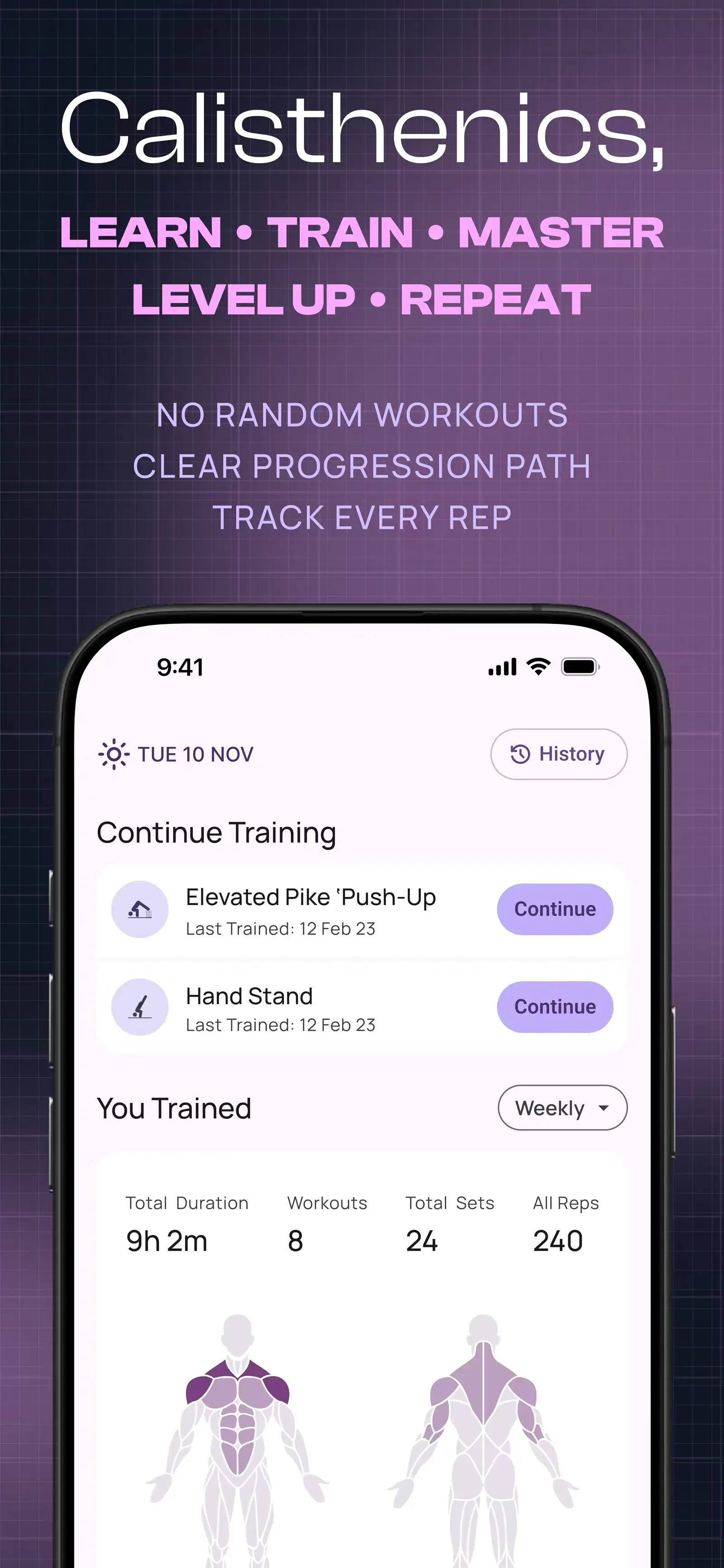
Home dashboard
Continue training, today or weekly totals and the muscle-involvement map. The dashboard is where the app puts the next action.
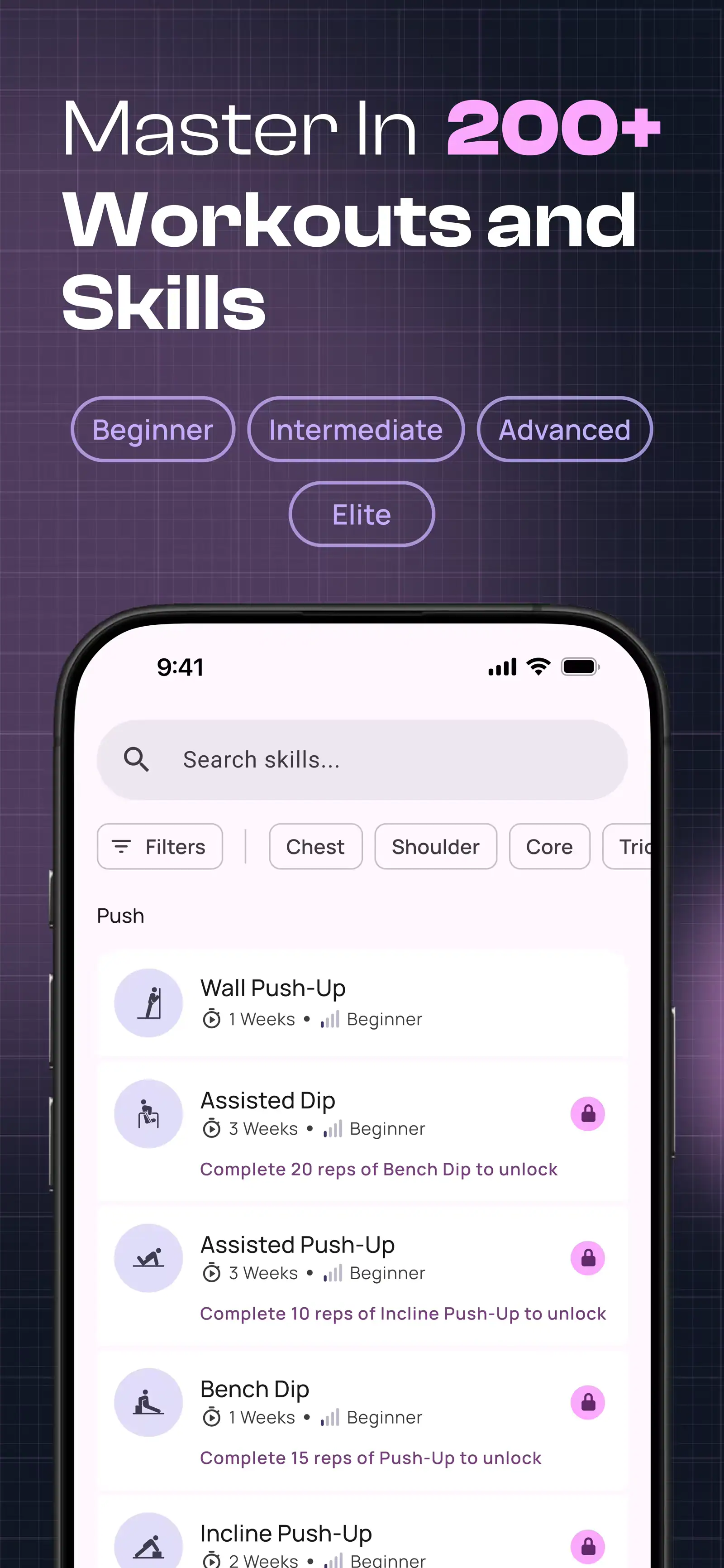
Skill library
The catalog as a searchable list: status, difficulty and category filters, favourites at the top, and Pro badges on premium nodes.
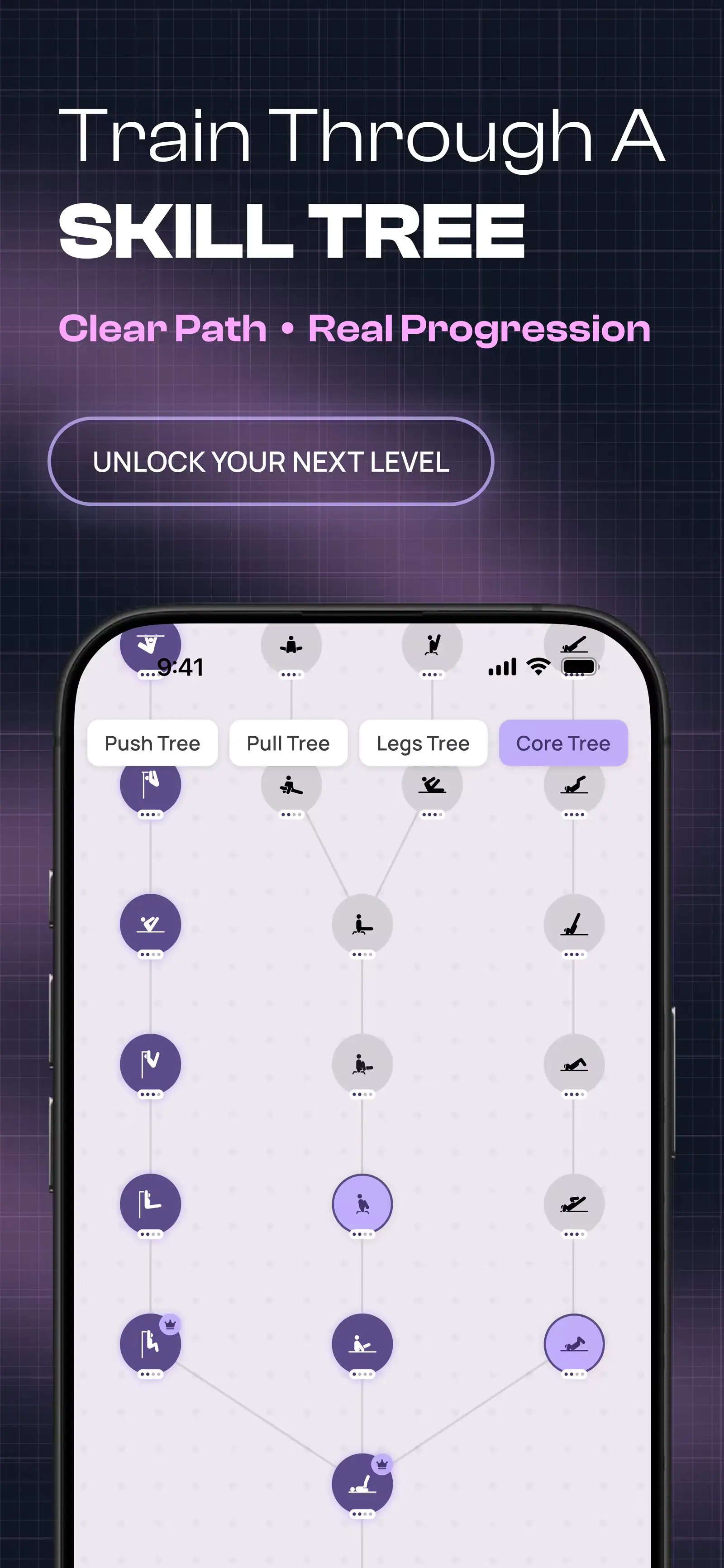
Skill tree
Four independent trees for push, pull, legs and core. Nodes show locked, unlocked and mastered states and open the skill detail.
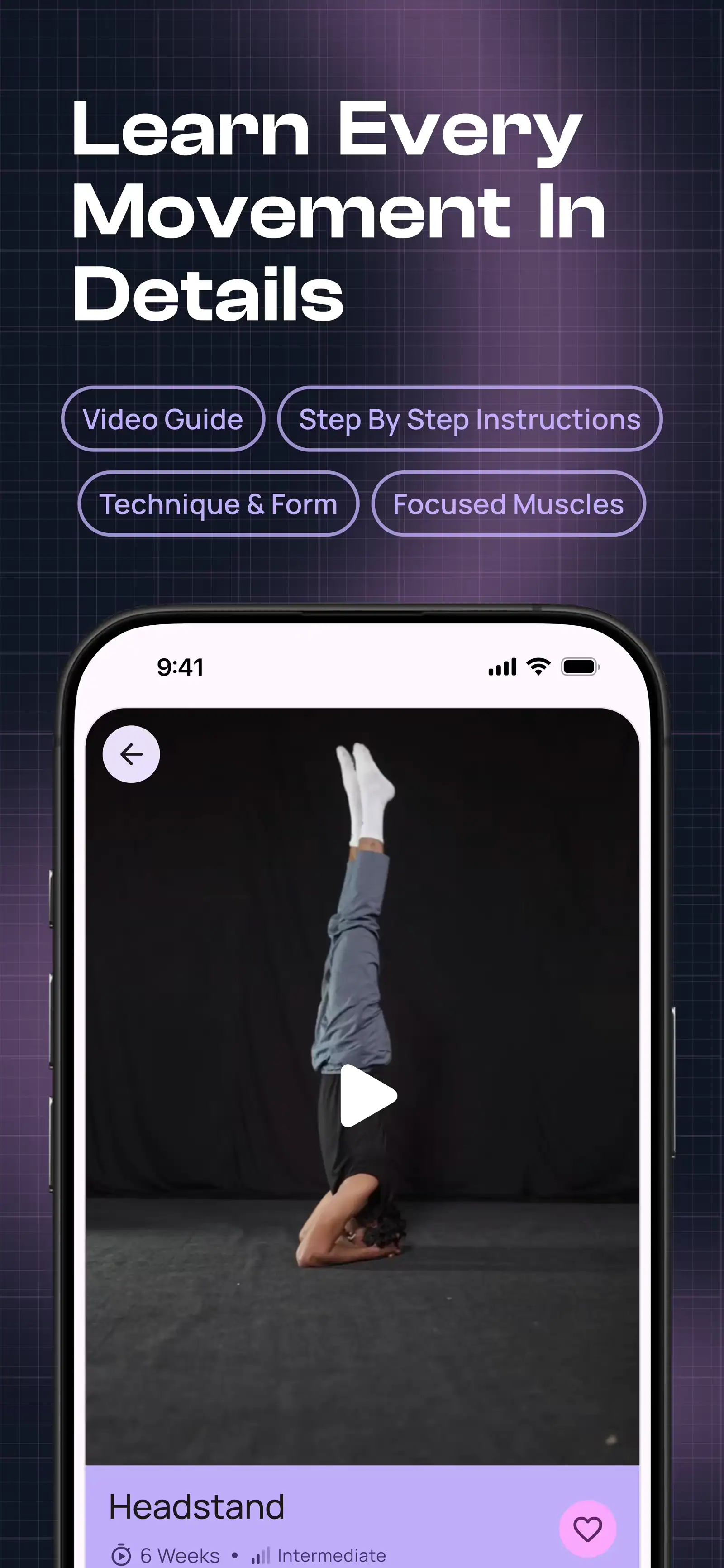
Skill detail
A demonstration video, step-by-step guide, technique and form cues, focused muscles and the start button for the session.
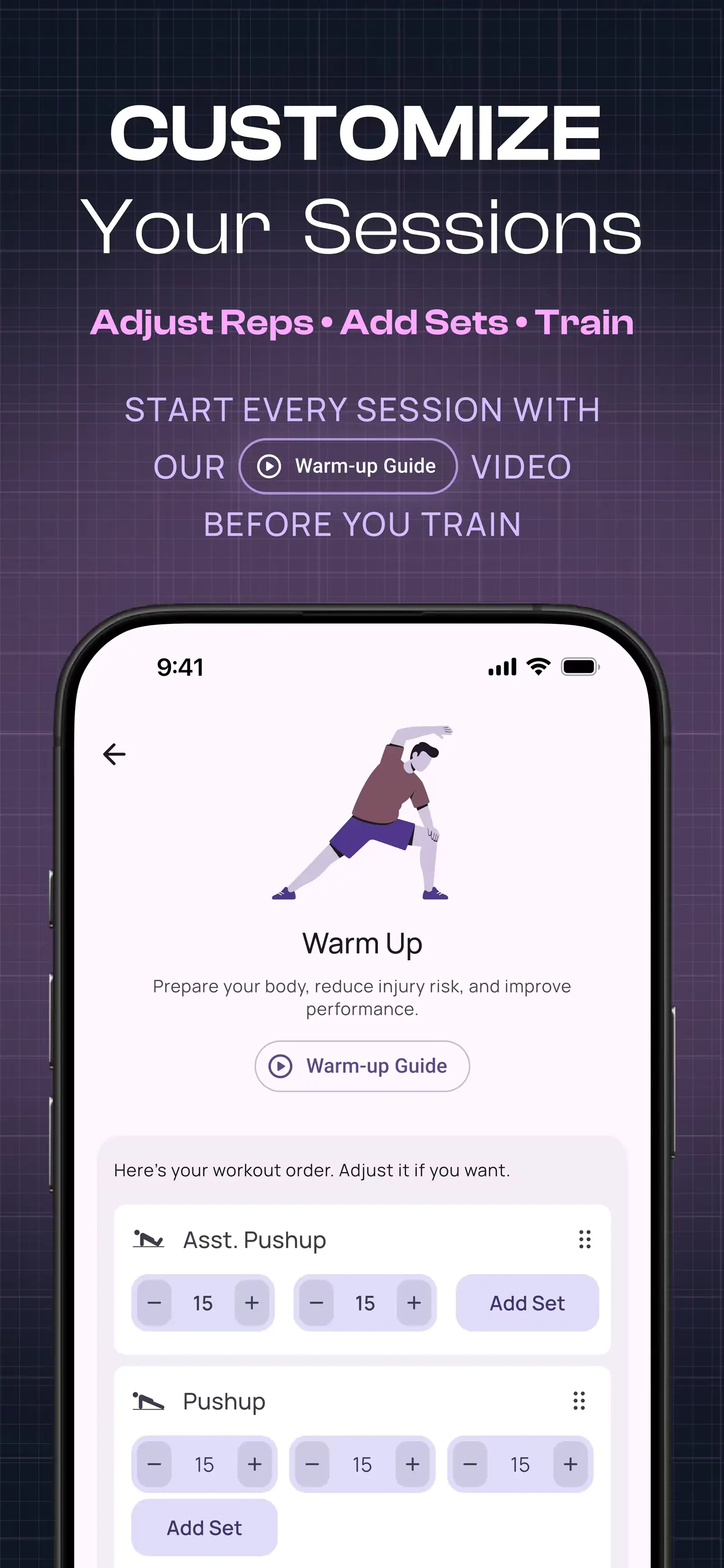
Warm-up and session setup
A warm-up guide before training, then a reorderable workout list with editable sets, reps and hold times.
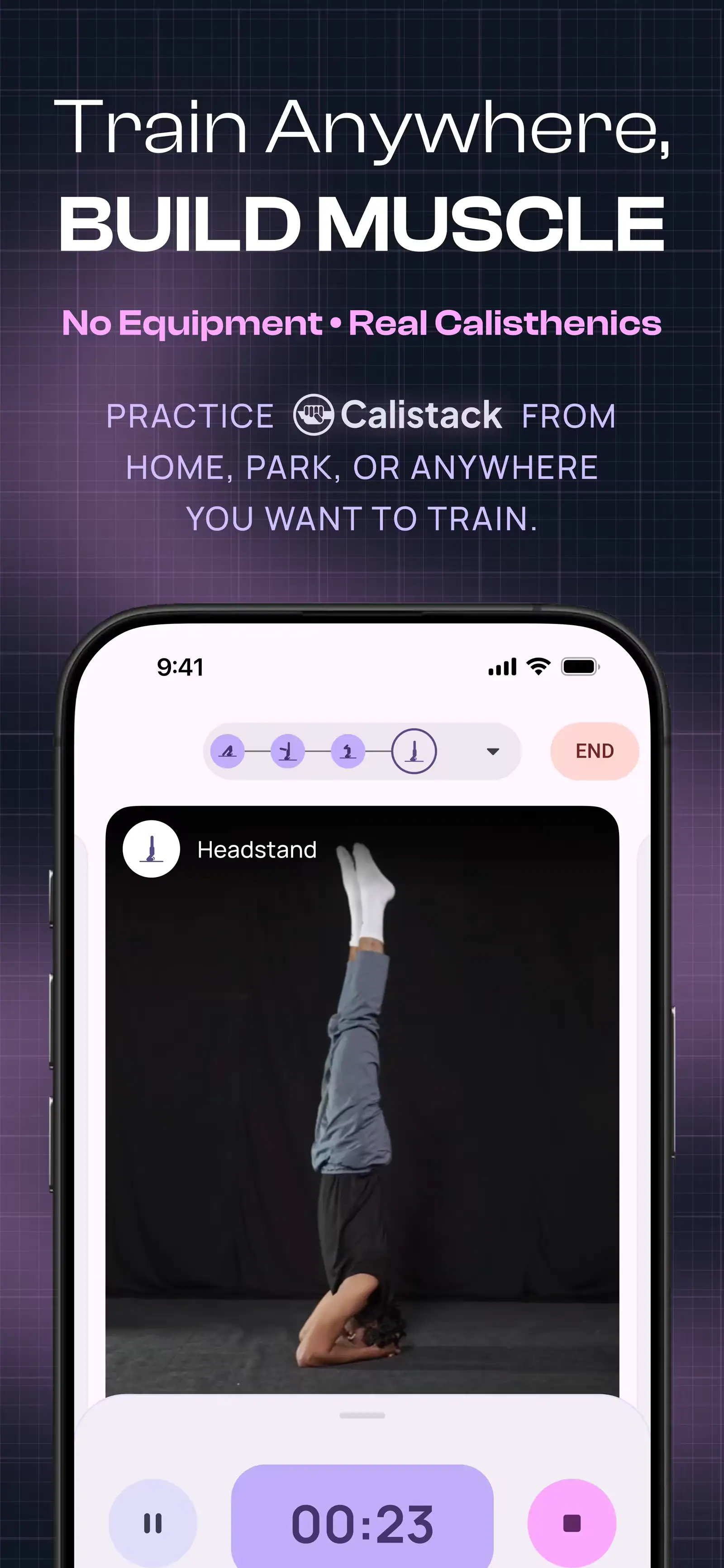
Workout player
Exercise cards with steps, video and cues, plus a stopwatch and set controls. A 60-second rest timer runs between sets.
About this gallery
These are preview cards from the current app marketing set, showing the live screens for the home dashboard, skill library, skill tree, skill detail, warm-up and workout player. The planner, rest timer, session summary and settings screens are described in the feature pages while current captures are added.
See it in the app
The screens are one tap away after installing.

