Everything inside Calistack
Calistack is a calisthenics training app built around four visual skill trees: push, pull, legs and core. A two-question assessment opens starter unlock groups; guided workouts include steps, video, form cues, a 60-second rest timer and set logging. Progress tracking, a muscle map, weekly planning, offline training and cloud sync complete the app.
By Calistack Team · Updated · Product details verified against the Calistack app. General information, not medical advice.


4
Skill trees
2
Assessment inputs
60s
Default rest
Offline
Training mode
Start inside the app
Sign in, answer two questions, and begin with a manageable starting point.
Train inside the app
Follow guided workouts with a warm-up, form guidance and a rest timer.
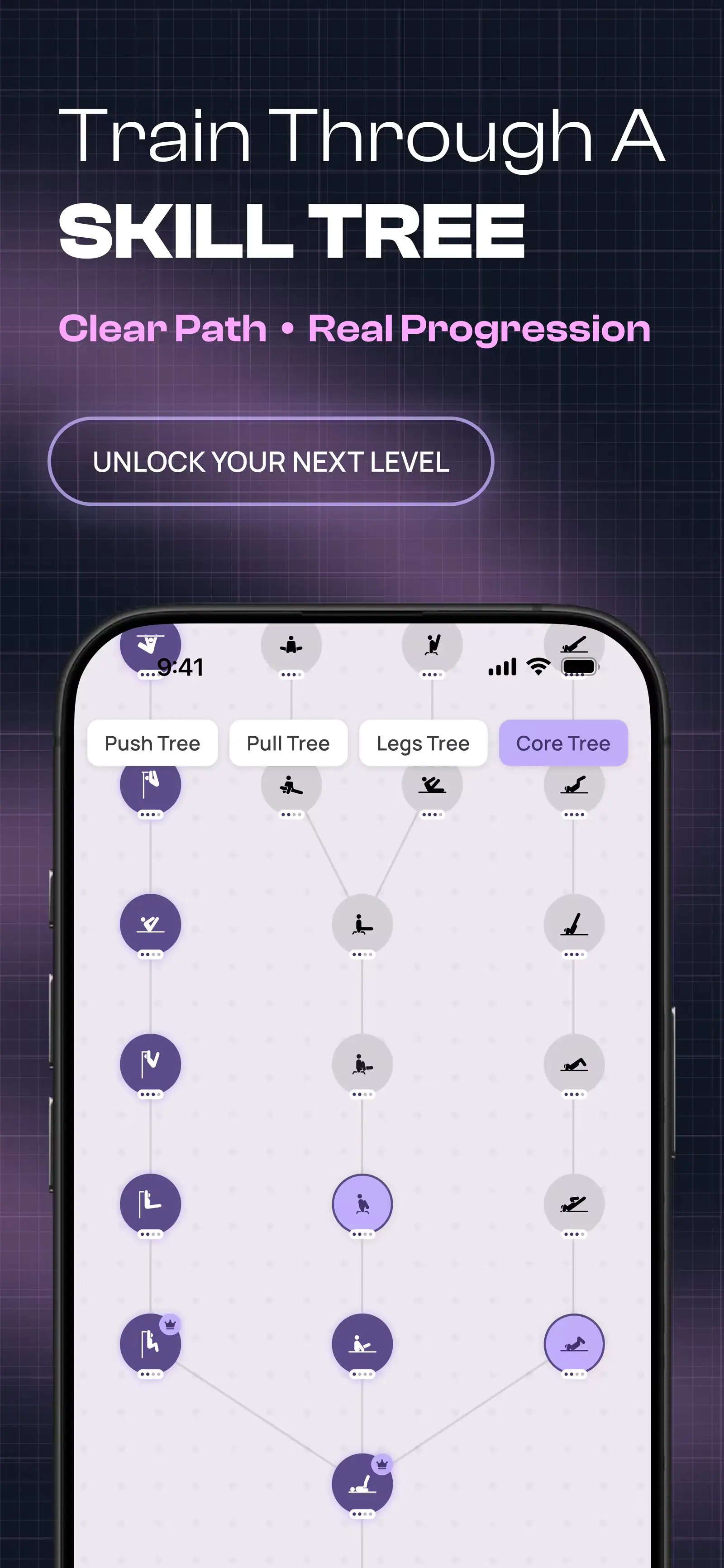
Four-path skill tree
Push, pull, legs and core trees show what is locked, unlocked and mastered.
Explore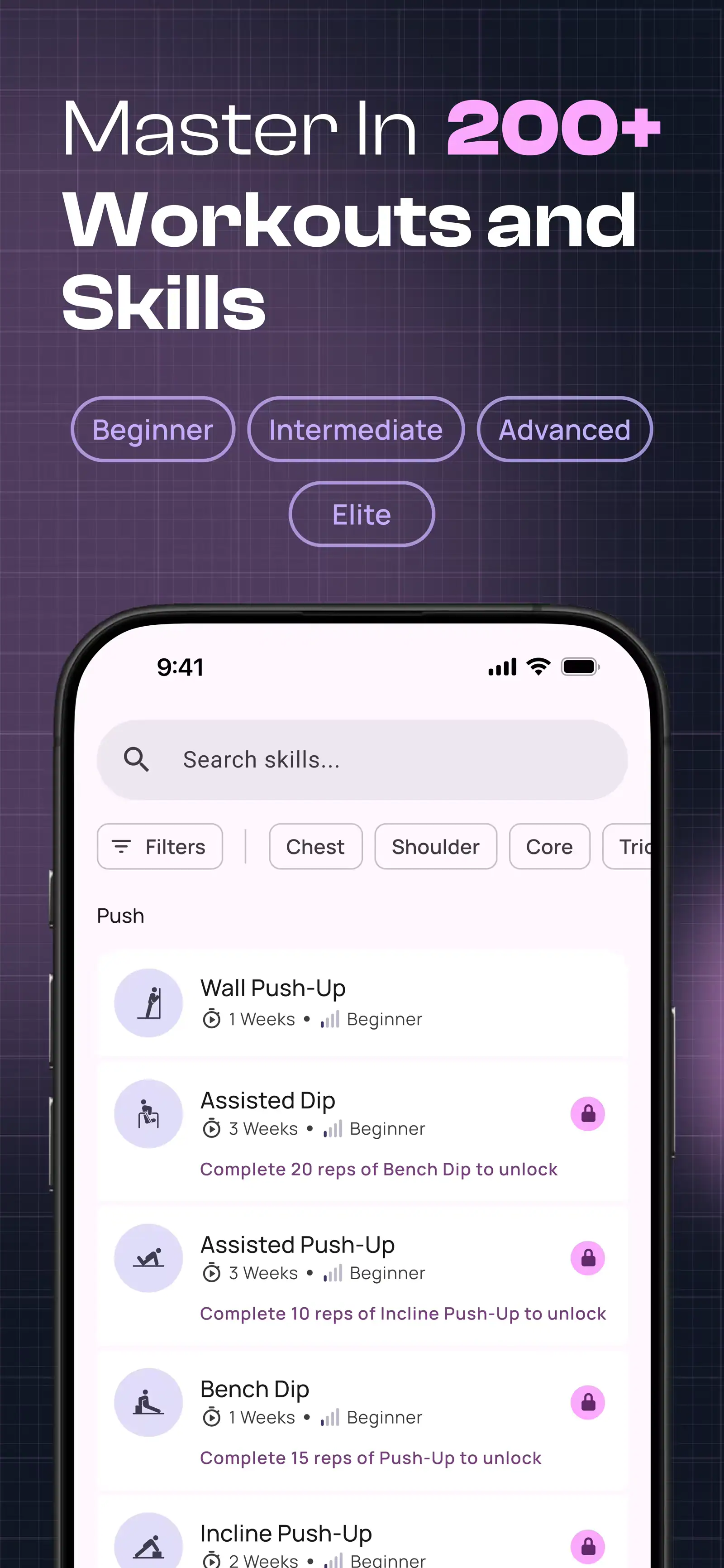
Searchable skill library
Search skills, filter by status, difficulty or category, and favourite the ones you repeat.
Explore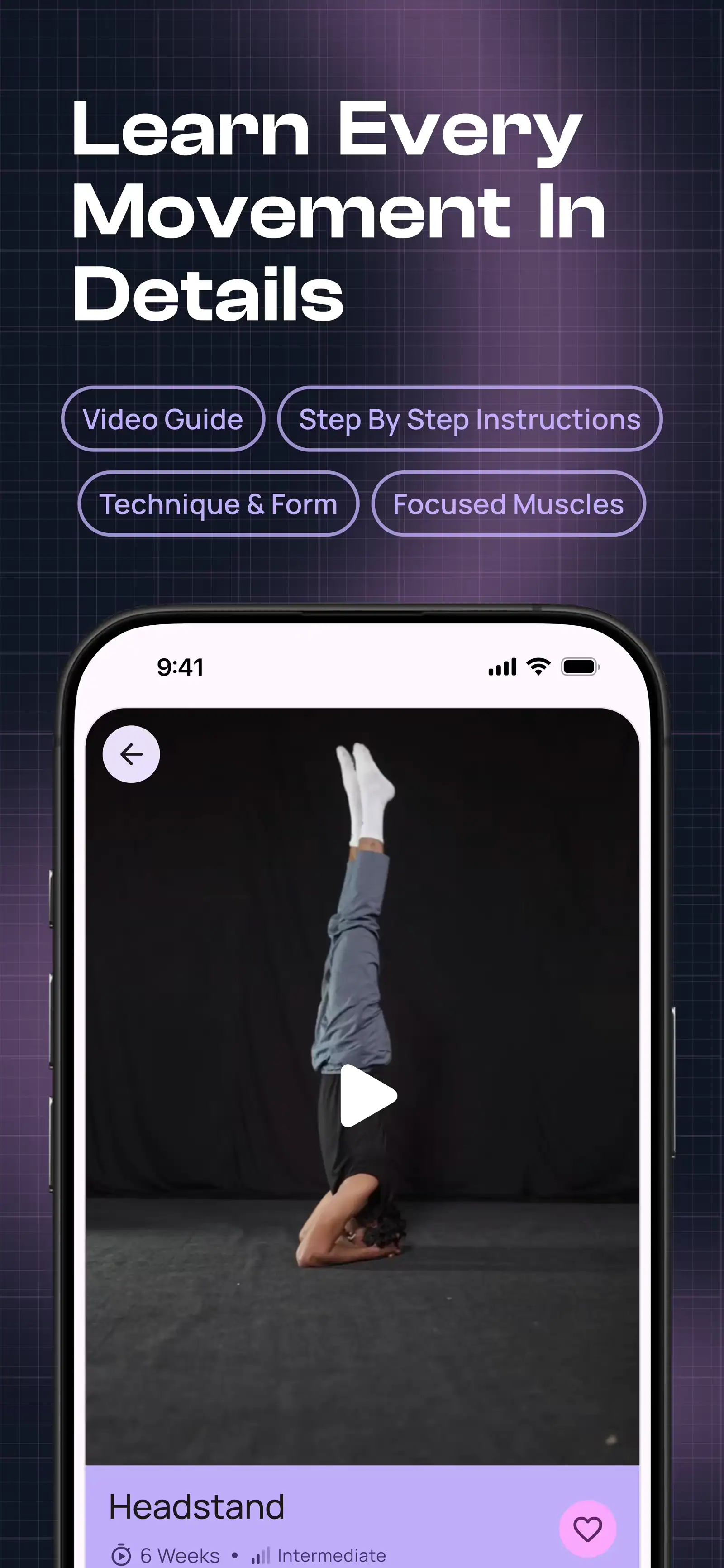
Skill detail page
Steps, video, good and bad form cues, muscles worked, safety notes and recommended exercises.
Explore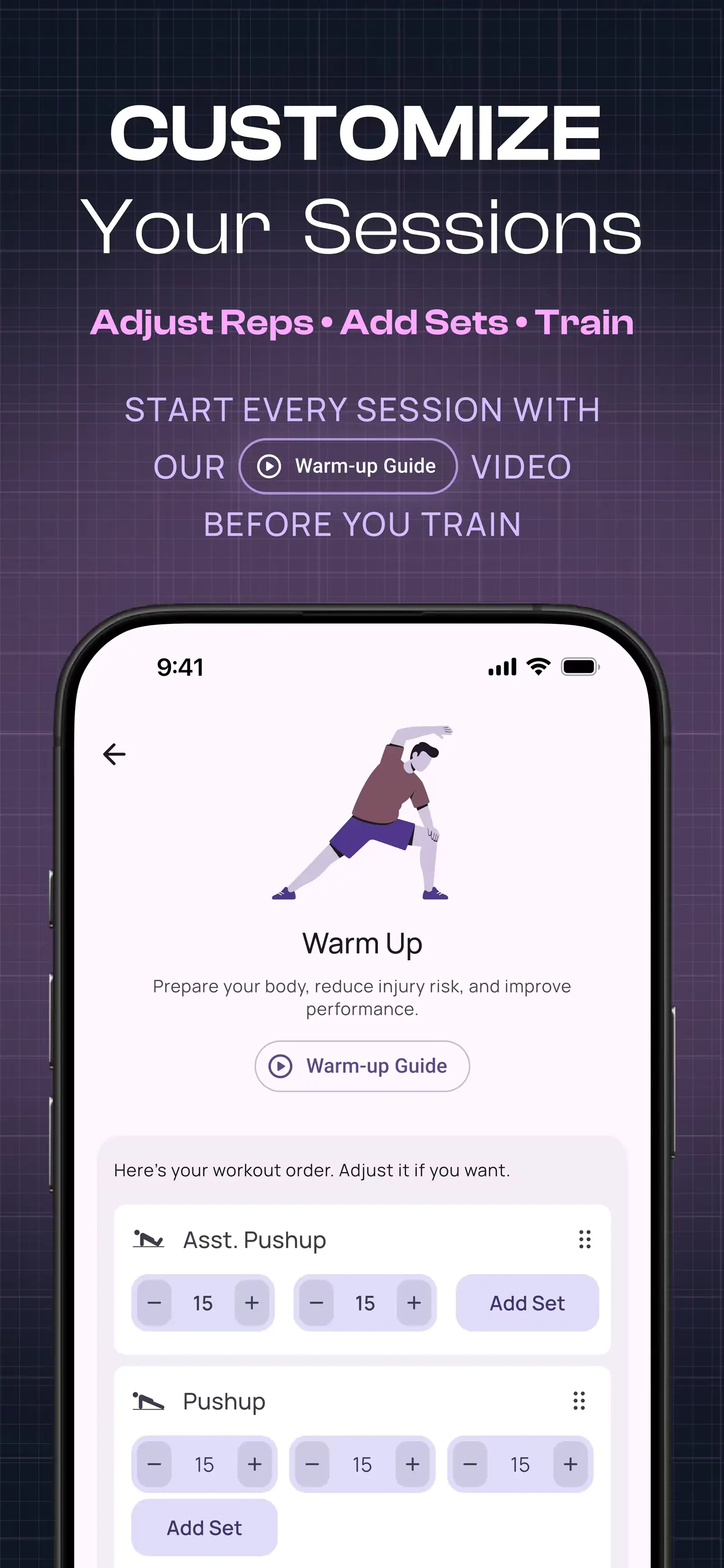
Warm-up guide
A guided warm-up before training, with a reminder to stop if something feels wrong.
Explore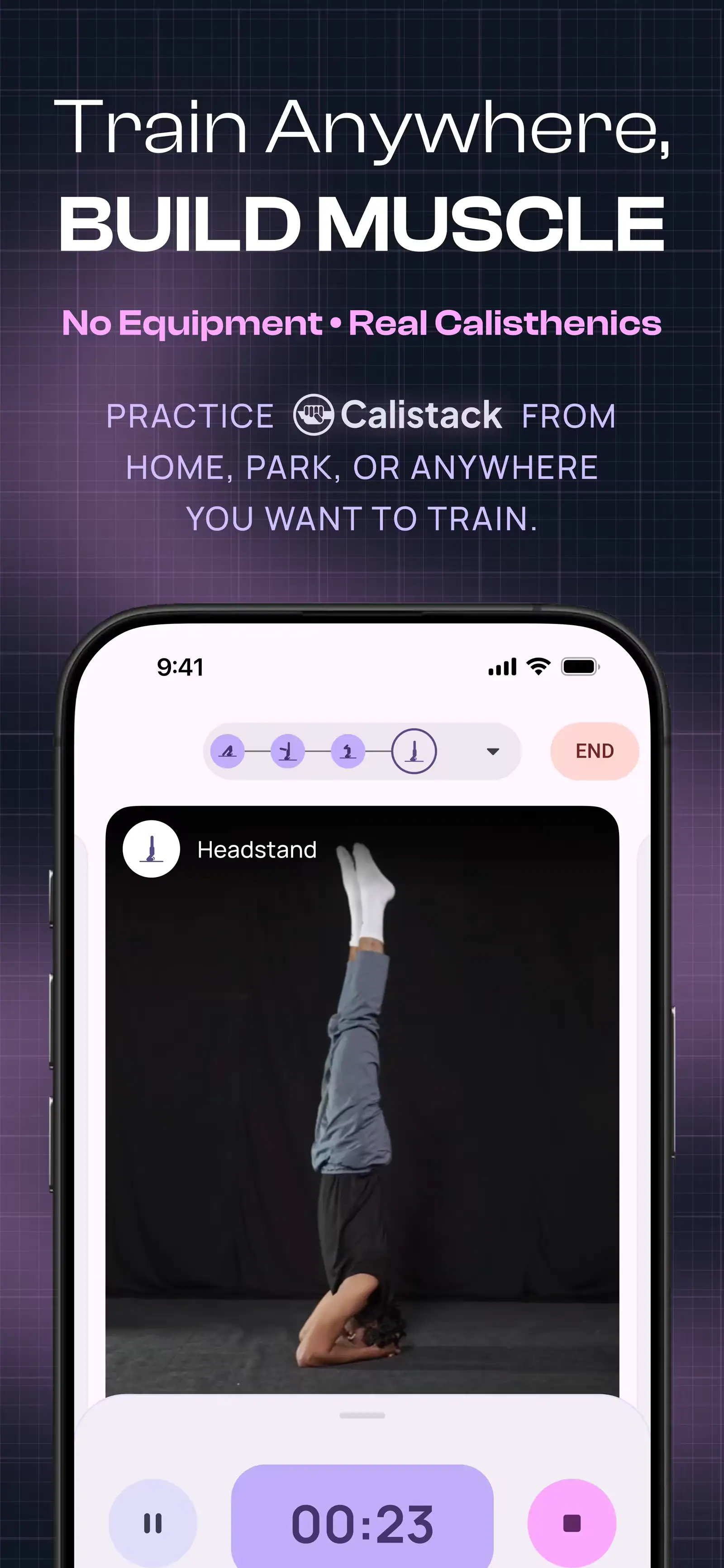
Guided workout player
Three-page exercise cards, a stopwatch and one-tap set logging for reps or holds.
ExploreRest timer
A 60-second countdown between sets with ten-second adjustments and skip-to-next.
ExploreNext-skill panel
During rest, see the next skill in line and the reps or hold time it needs.
ExploreTrack inside the app
See what you trained, how it counts toward mastery, and what changed over time.
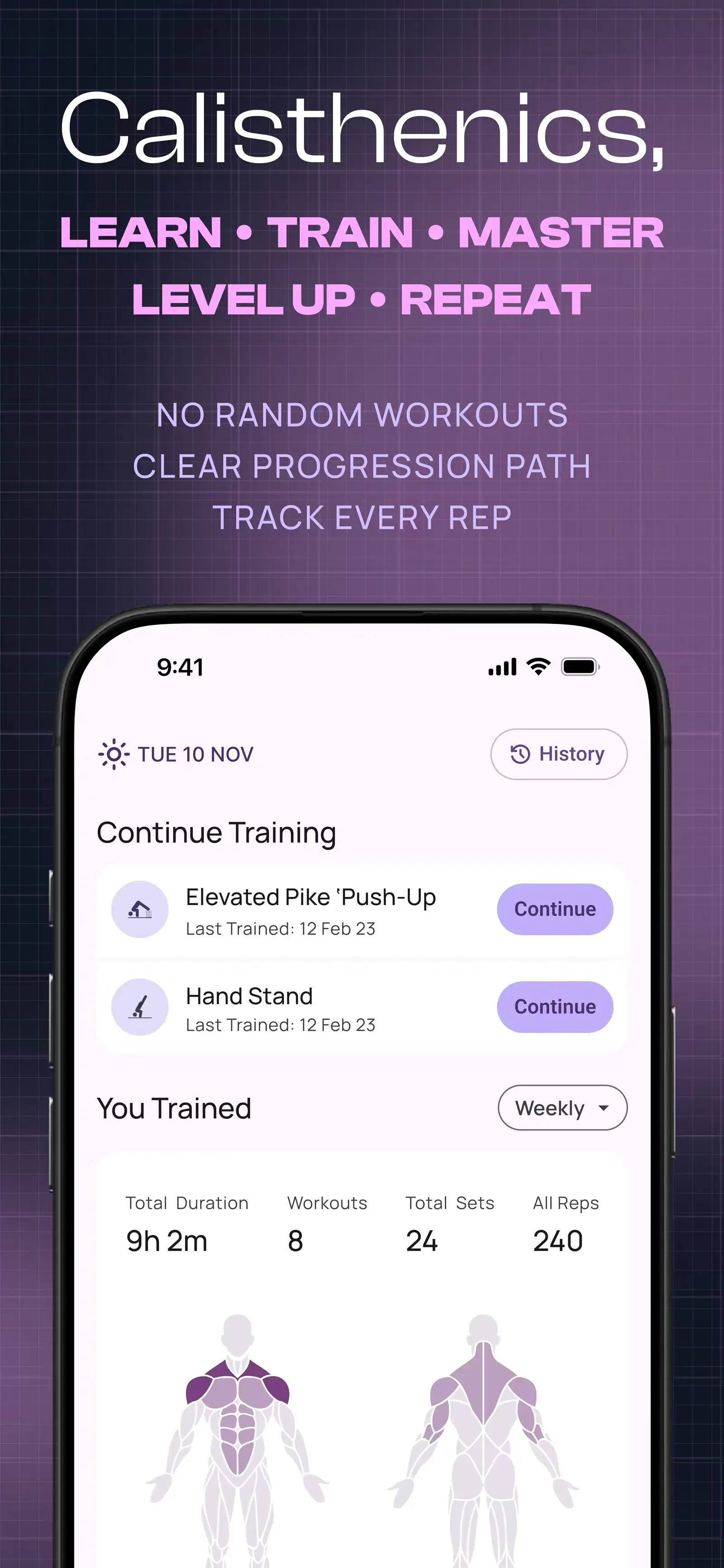
Home dashboard
Today and weekly totals, a muscle map, mastery progress and one-tap continue training.
ExploreSession summary
Totals, per-workout sets, muscle involvement and Unlocked or Mastered achievements.
ExploreWorkout history
Every set is logged; browse it by day, session or skill.
ExploreMuscle involvement map
See which muscle groups a workout or a week actually involved.
ExplorePlan inside the app
Build a repeatable training week and keep it visible on the home screen.
Sync inside the app
Train offline and keep progress tied to your account across devices.
Personalise inside the app
Adjust appearance and feedback to fit the way you train.
One loop from assessment to next step
Answer two questions
Your push-up and pull-up counts apply starter unlock groups at the five- and ten-rep gates.
02 / STEPChoose from the tree
Four independent paths show locked, unlocked and mastered nodes. Start with what fits today.
03 / STEPTrain the node
Warm up, follow the three-page player, log reps or holds, and use the 60-second rest timer.
04 / STEPSee the progress
Totals, history, mastery and a muscle map show what changed and what the next step is.
Start free. Upgrade only if you want the full catalog.
The assessment, the four skill trees and a set of workout nodes are available without Pro. Premium nodes open with Calistack Pro; prices are set by the App Store or Google Play for your country.
Questions about the app
What does Calistack actually include?
A two-question assessment, four independent skill trees, a searchable skill library, guided workouts with steps, video and form cues, a 60-second rest timer, progress tracking with mastery and history, a weekly session planner, and offline training with cloud sync.
Do I need equipment for Calistack?
Pushing, core and handstand progressions generally need only a floor and a wall. Pulling paths such as pull-ups, muscle-ups and front levers need a secure bar or a park bar. The app explains the movement, but you are responsible for checking that your setup is safe.
Is the skill tree the same as the workout list?
They are two views of the same catalog. The tree shows the four progression paths and node states; the skill list shows the same workouts as a searchable, filterable list with favourites and Pro badges.
Is Calistack free?
The app is free to download. The assessment, the four skill trees and a set of workout nodes are available without Pro; some nodes are premium and need Calistack Pro. Current prices and entitlements are shown in the store or the in-app paywall.
Does Calistack work offline?
Training, logging and history use local data, so sessions work without a connection. The catalog and cross-device progress refresh when you reconnect. A manual force-sync option is available in settings.
8 feature guides · Last verified 2026-11-14. Screens and details can change as the app updates; check the store listing for current pricing and availability.
See it on your phone
Free to download on iOS and Android.